


If you have a domain name and want to map it to your blog on Blogger.com, here’s what you
need to do:
- Login to your account
- You will now see a page with all purchases made by you on our system
- Click on the domain name for which you want to map to your blog
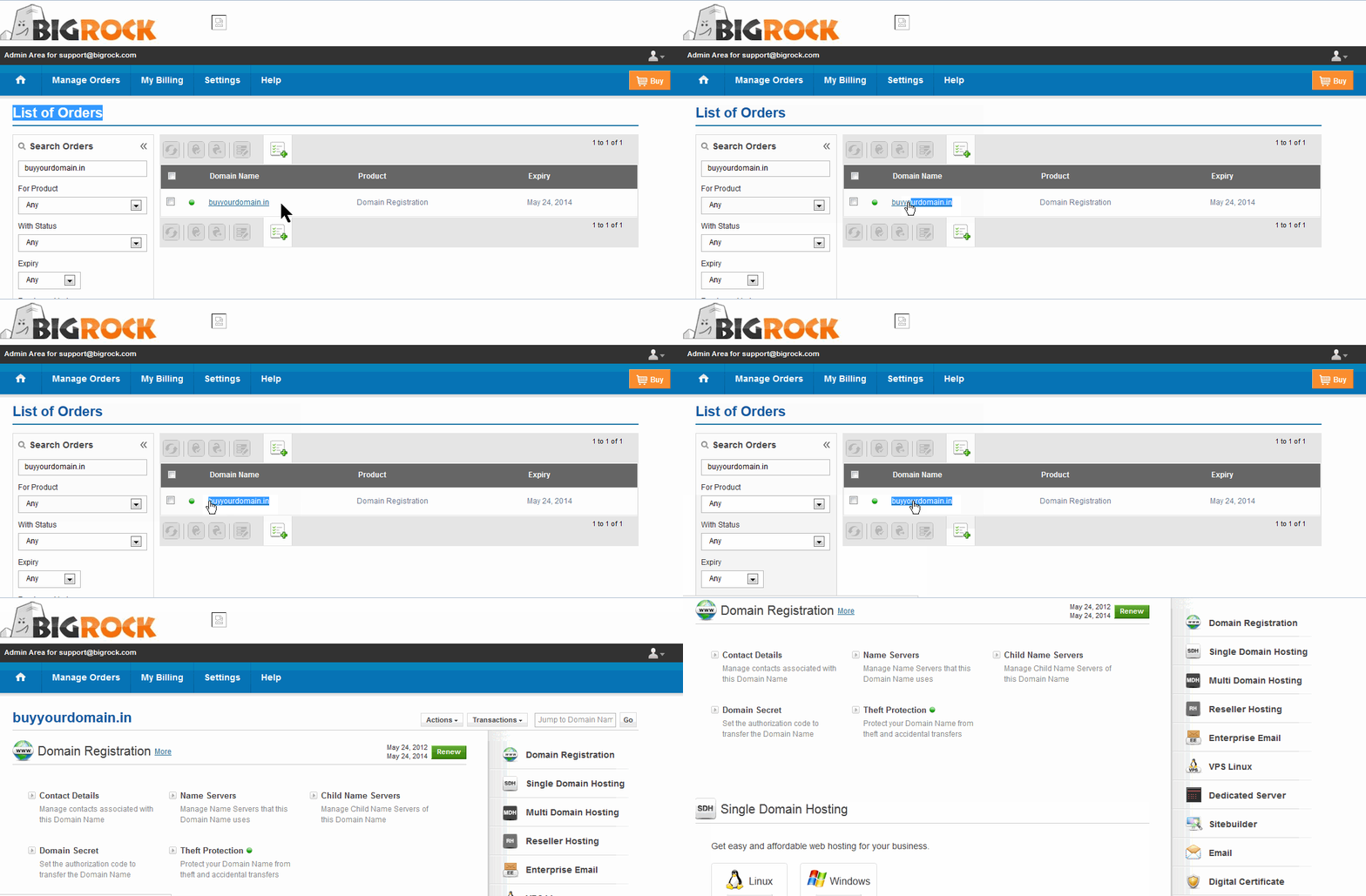
- Click on the DNS Management option to the right of this page
- Click on "Manage DNS"

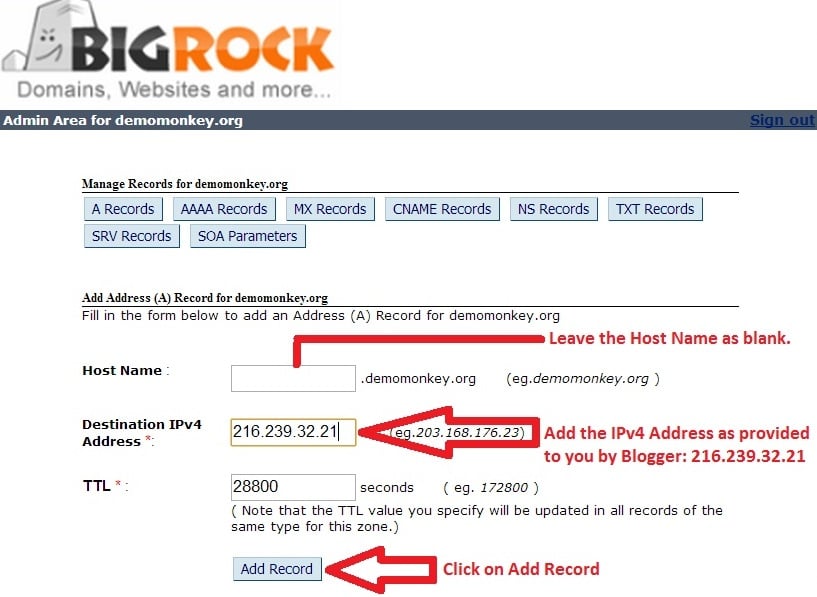
- Click on "Add A Record"
- Leave the Host Name blank
- Enter the Destination IPv4 Address as 216.239.32.21
- Do not make any changes to the TTL
- Click "Add Record"
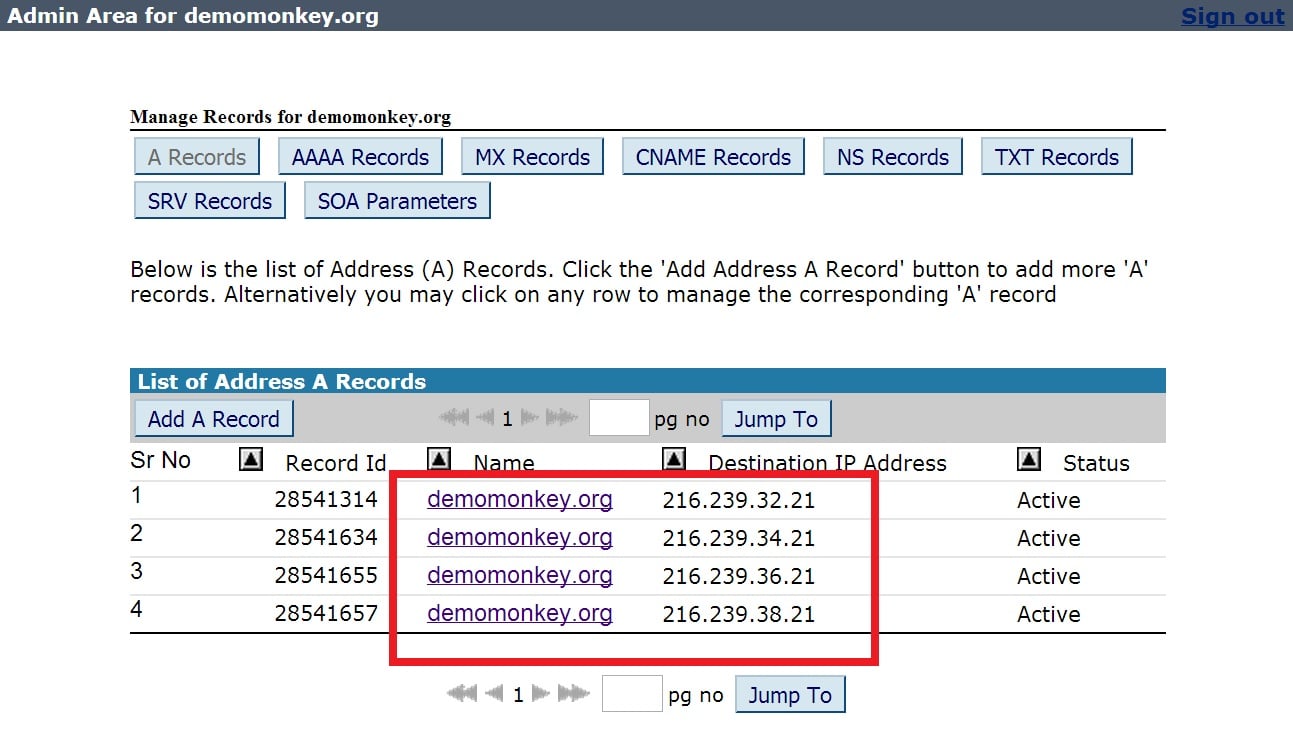
- Click on "Add A Record" again follow the same process for these IP addresses one-by-one:
216.239.34.21
216.239.36.21
216.239.38.21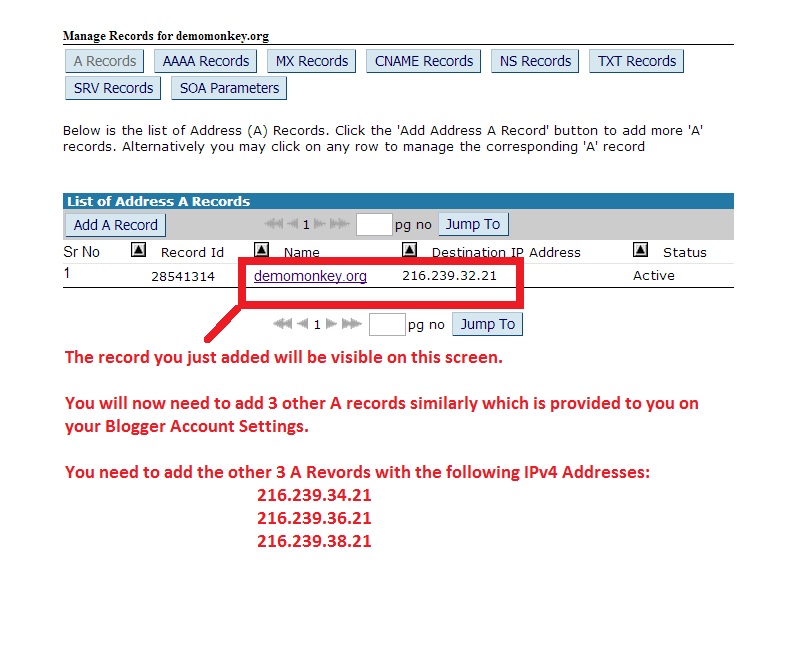
- Now you need to set the custom domain name for your blog in your Blogger account. Login to your Blogger account
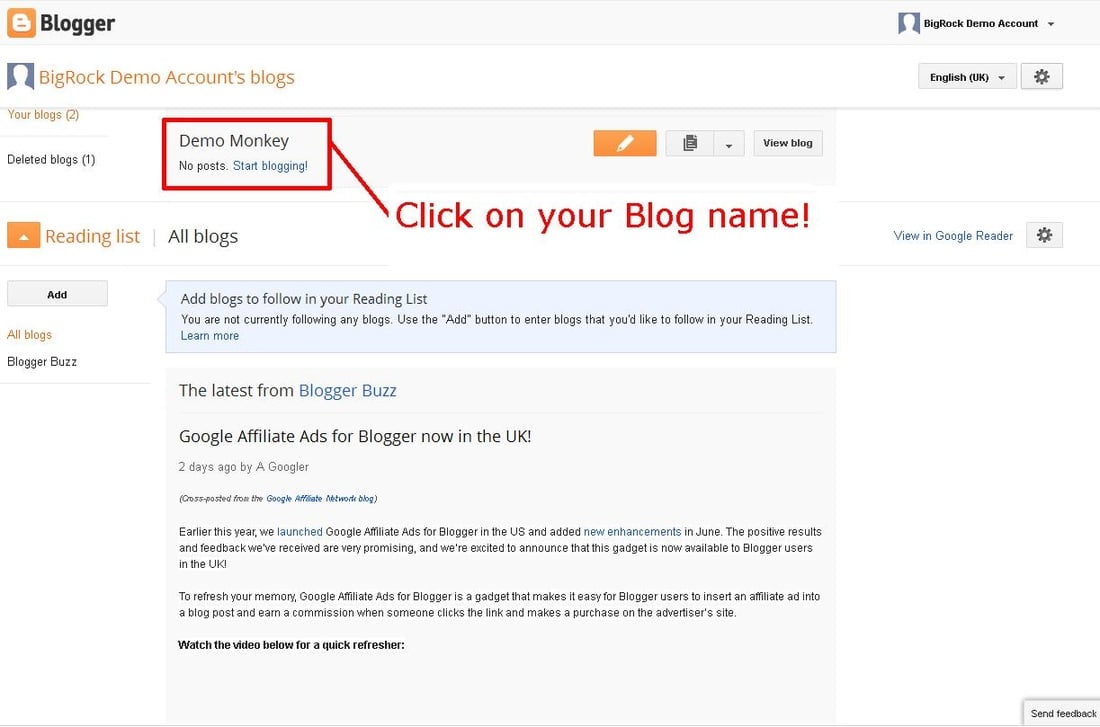
- Click on the blog to which you wish to map your domain name
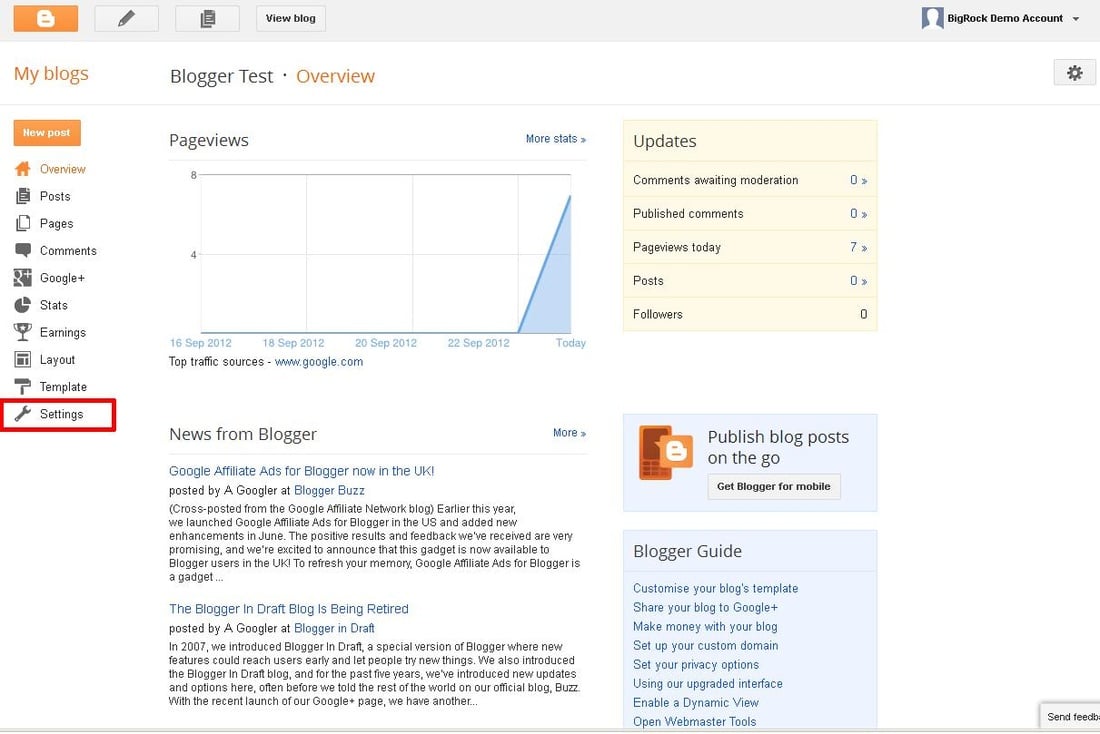
- Click on "Settings"
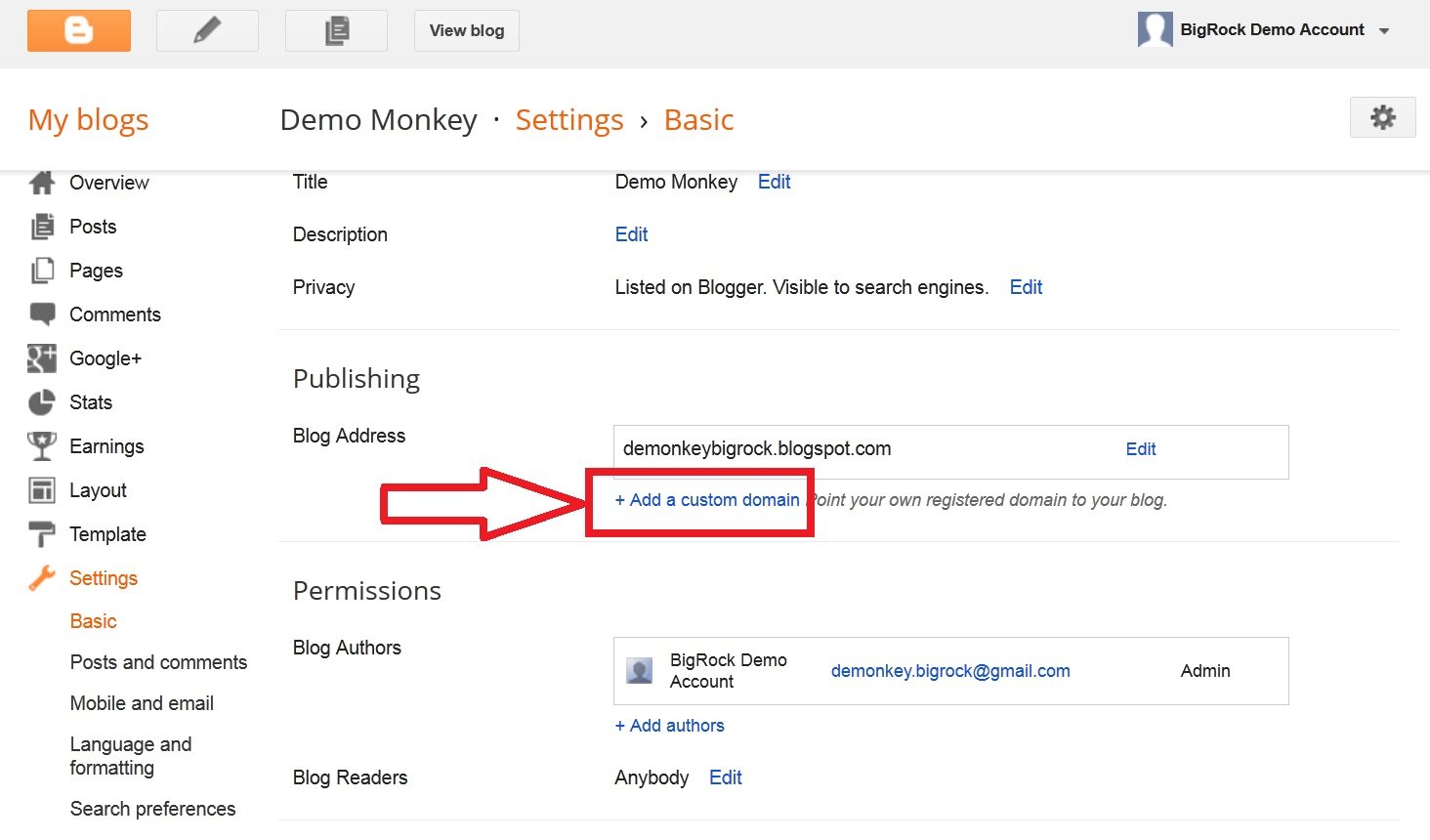
- Click on "Add a custom domain"
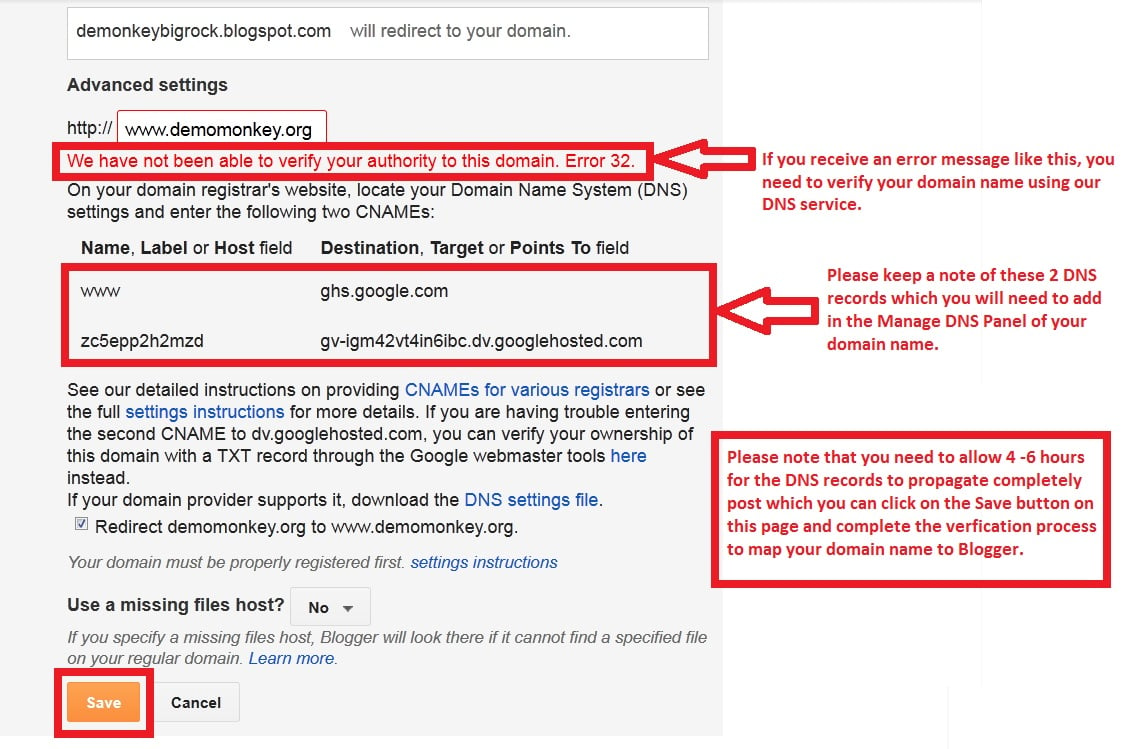
- Enter your domain name
- Click on "Save"

- You’ll now get an error message asking you to verify your domain
- Blogger will provide you with 2 CNAME records
- Open the BigRock "Manage DNS" panel
- Click on "CNAME Record"
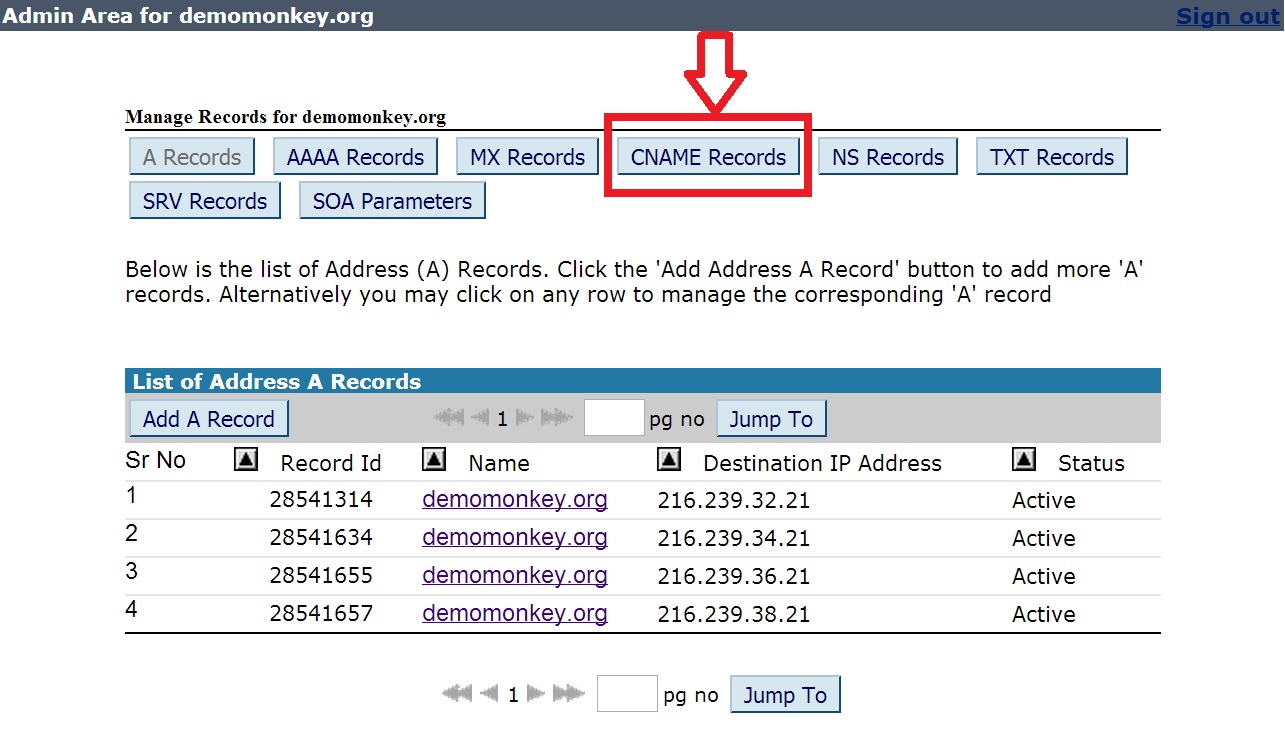
- Click on "Add CNAME Record"

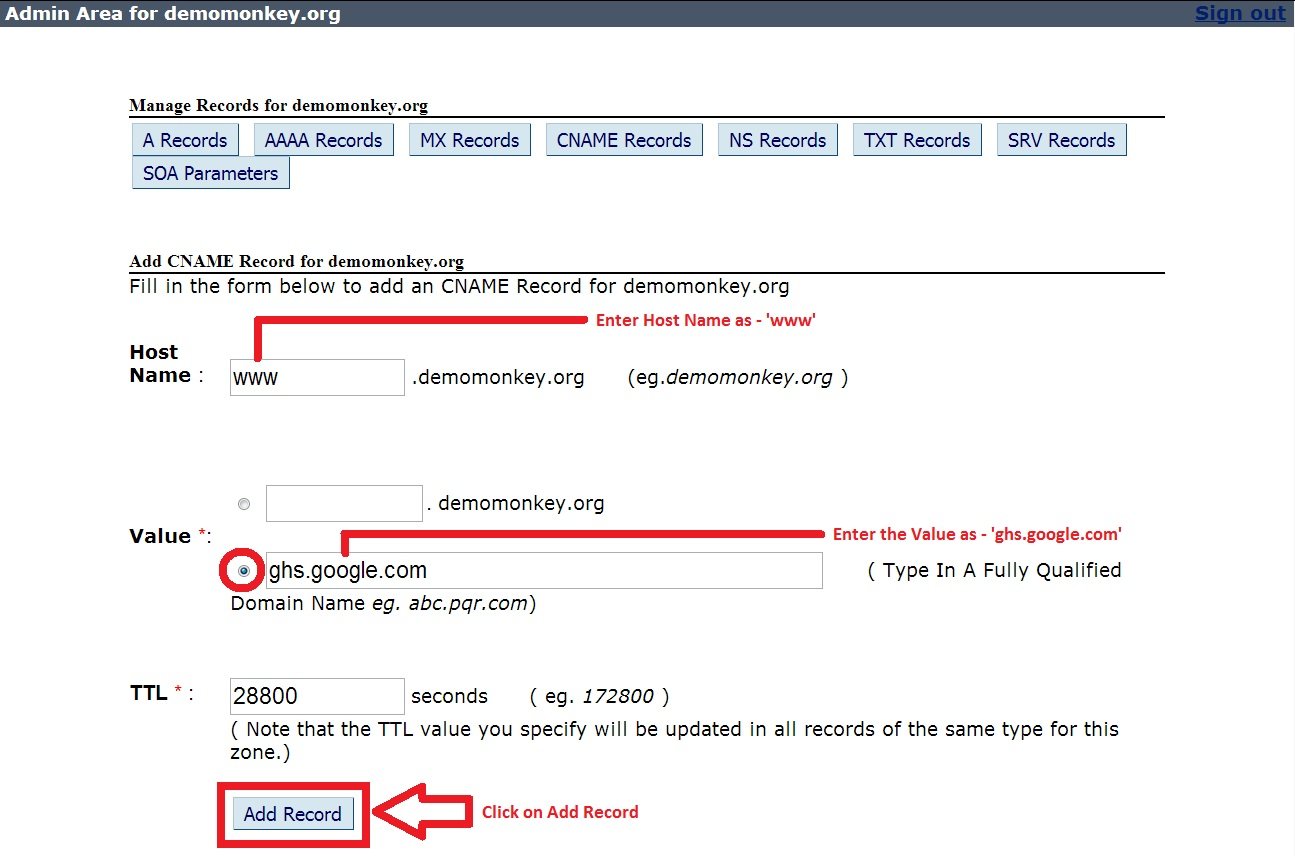
- Set the “Host Name” as "www"
- Set the “Value” as "ghs.google.com"
- Do not make any changes to the TTL
- Click on "Add Record"
- Similarly add the second record provided by Blogger
Well, you’re all set up. Your domain name will now display your blog hosted on Blogger.


0 Comments